SimpleSolar – an app for planning, buying
and running a balcony solar system.
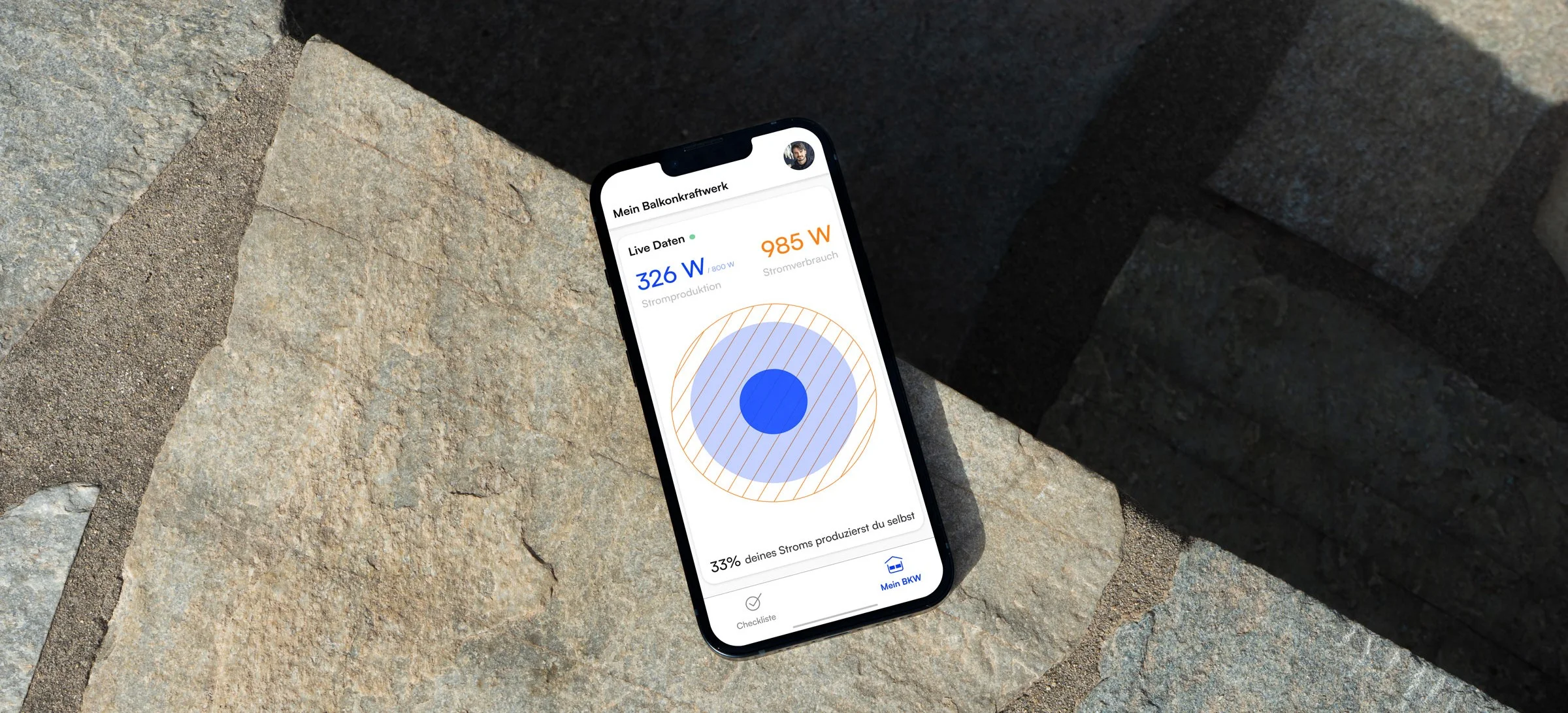
SimpleSolar is a digital companion for private balcony solar systems, designed to make urban renewable energy both visible and usable. By connecting hardware with an intuitive app, it empowers users to monitor real-time energy production, track savings, and understand their environmental impact.
The platform offers clear insights into consumption patterns, adaptive tips for energy efficiency, and seamless integration with smart home systems. SimpleSolar lowers the barrier to green energy adoption in cities — making sustainability a part of everyday life, right from your balcony.
The goal: to unlock the full potential of solar power from your own balcony. We researched what holds people back — and removed those hurdles in the app.
Six hurdles, six solutions

Onboarding: explain first, ask later
Many people have heard of balcony solar systems, but few know how simple they are. Before the app asks for anything, four illustrated screens explain the principle: mount the panels, plug them in, use the power at home.
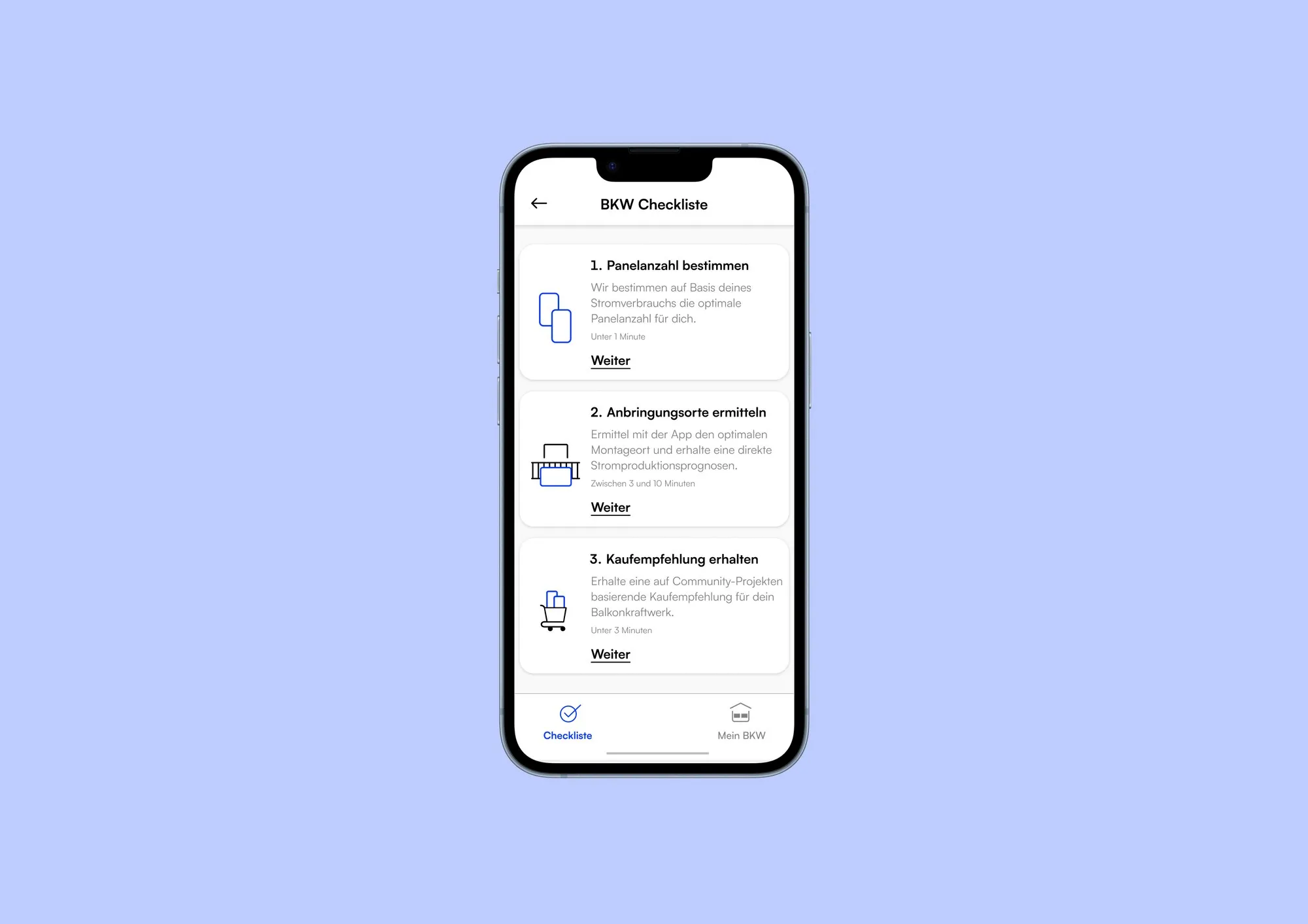
Checklist: three steps to the purchase
The biggest hurdle is the purchase itself: how many panels, where to put them, which product? The checklist turns this decision into three small tasks and says upfront how many minutes each one takes.

Mounting spot: see the yield before buying
How much a panel produces depends on direction and tilt — something hardly anyone can estimate. Users mark a spot on a model of their balcony, set both values, and the yield forecast in kilowatt hours updates with every step.

Comparison: which side of the balcony?
Most balconies offer more than one option, and the best one is rarely obvious. Several spots can be saved and compared side by side — each with forecast, number of panels, orientation, shading and tilt angle.

Live data: making the power visible
Once installed, a balcony solar system works silently — and nobody sees what it actually delivers. The key screen shows production and consumption in real time, the self-produced share and a forecast for the next three days.
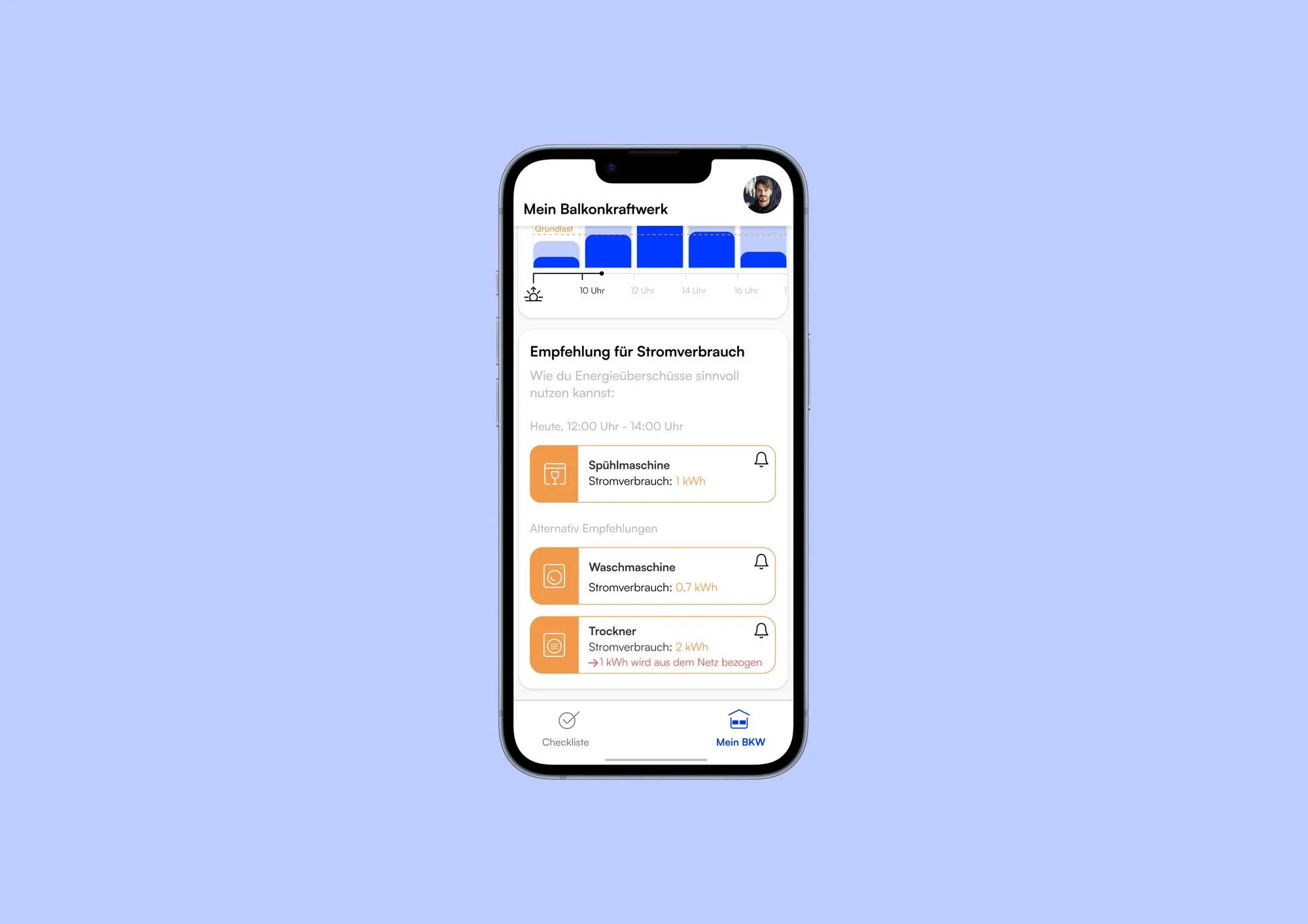
Recommendations: use the power while it is there
Without a battery, every unused kilowatt hour flows into the grid for free. The app therefore suggests the best time window for dishwasher, washing machine and dryer.